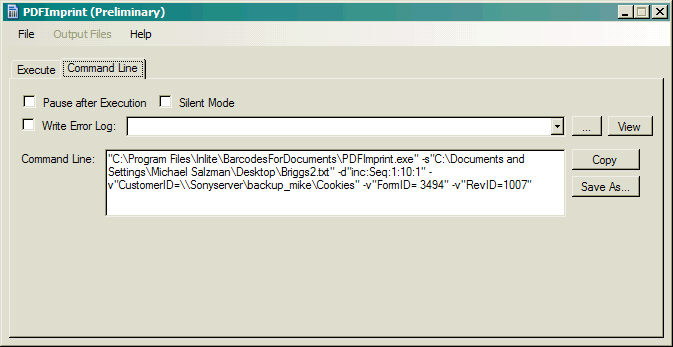
The field entries in the execute panel configure the PDFImprint command line.
Pause after Execution
Prompts to Press any key after execution is completed (/p parameter).
Silent Mode
Suppresses the display of PDFImprint messages (/q parameter).
Write Error Log
Specifies the location and the name of the file to which error information will be appended. (/e command).
Enables / disables error logging.
Click the ... button to browse to select an exisiting file
Click the View button to view the specified error log file.
Command Line
Displays the actual command line with the specified parameters.
Copy
Copy the command line to the clipboard.
Save As...
Saves the command line to a text file for batch execution.